
Download DUMo – Driver Update Tool, System Optimization, PC Maintenance
Overview
DUMo is a utility application designed to assist Windows users in maintaining optimal system performance through proactive driver management. The app’s primary function is to scan the system for outdated drivers and notify users of potential updates, helping to prevent performance degradation, compatibility issues, and system instability. By identifying drivers that are no longer current, DUMo enables users to take timely action to keep their hardware functioning at peak efficiency. This is particularly valuable for users who rely on their computers for work, gaming, or multimedia tasks, where driver reliability directly impacts system responsiveness and stability.
The target audience includes both casual users and tech-savvy individuals seeking a straightforward way to monitor their system’s health without deep technical knowledge. While the developer did not provide additional background on DUMo’s development team, the app’s consistent updates and clear functionality suggest a dedicated focus on system maintenance. Real-world use cases include troubleshooting device malfunctions, preparing a system for high-performance tasks, and ensuring compatibility with new software releases. In the broader app ecosystem, DUMo fills a niche by offering a lightweight, focused tool for driver monitoring—distinct from full-featured system optimizers that may include unnecessary features.
Key Features & Functionality
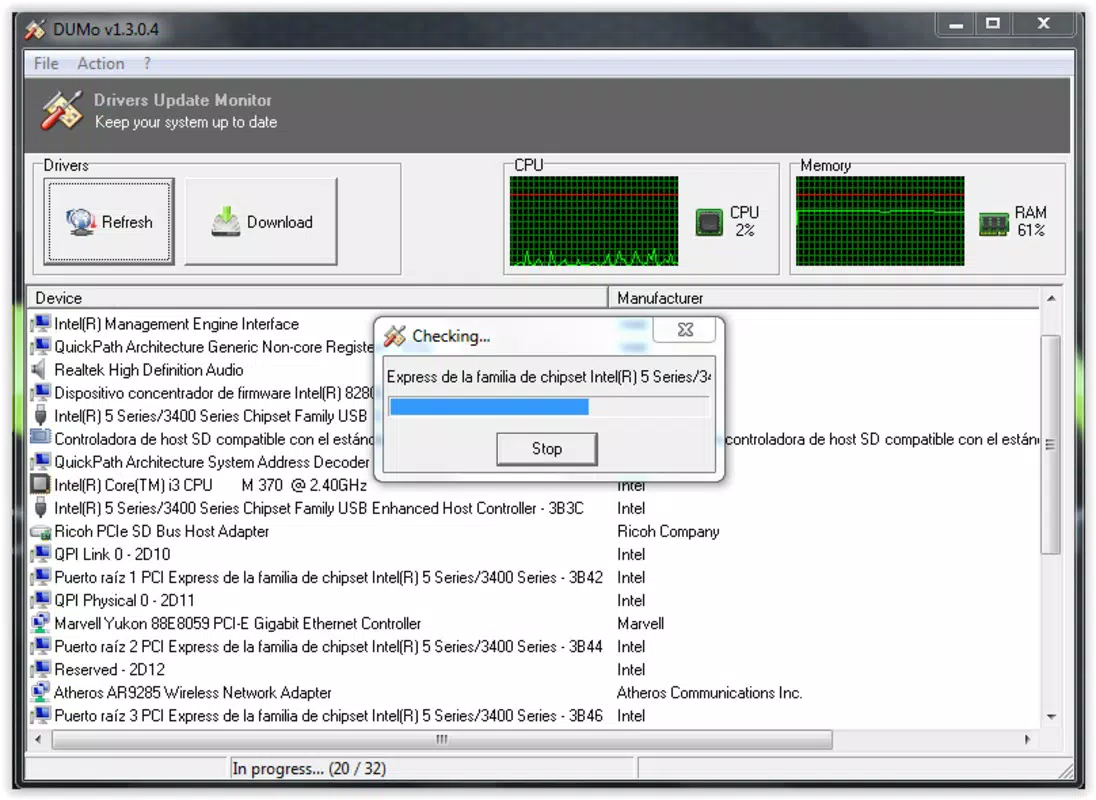
- Driver Update Monitoring: DUMo performs a comprehensive scan of installed drivers and compares them against known updated versions. When an outdated driver is detected, the app issues a clear notification, enabling users to address potential performance or stability issues proactively.
- Direct Access to Update Info: By double-clicking on any driver entry, users are redirected to a dedicated webpage that provides the latest version details. This streamlines the update process by eliminating the need to manually search for the correct driver from the manufacturer’s site.
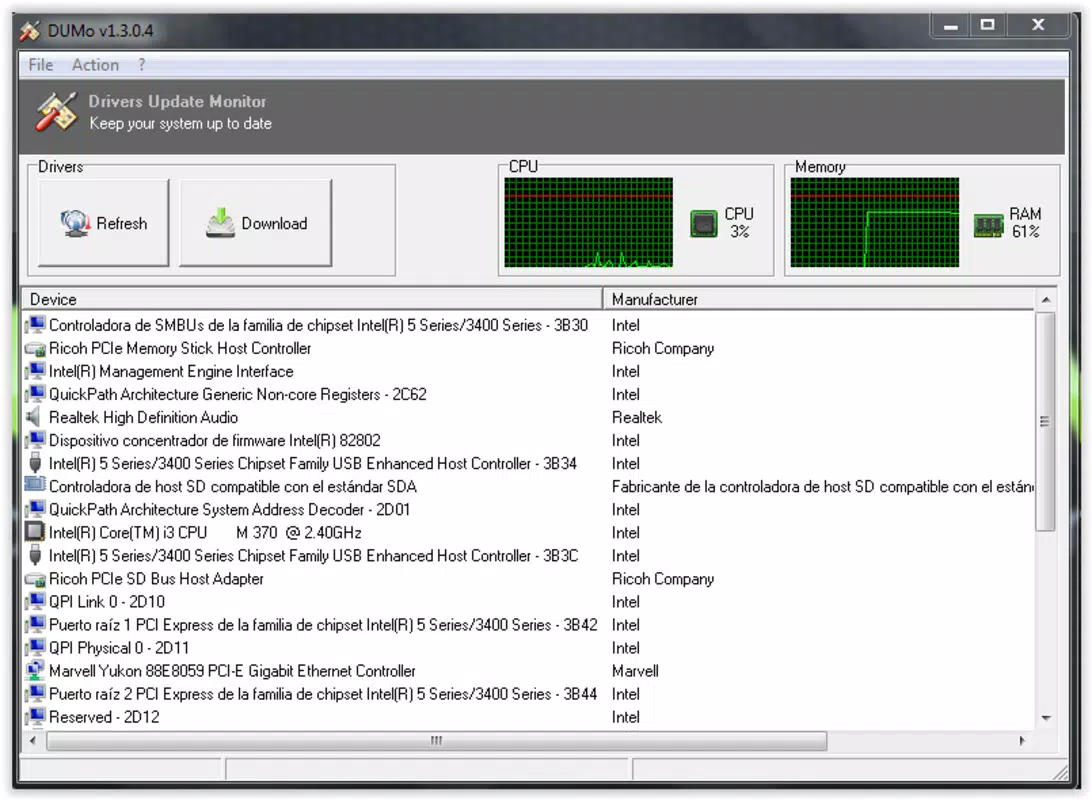
- Comprehensive Device Information: The application displays detailed hardware data, including manufacturer names, device model numbers, and full driver version strings. This transparency helps users verify their hardware configuration and track changes over time.
- Resource Monitoring: In addition to driver checks, DUMo provides real-time monitoring of CPU and RAM usage. This feature allows users to identify resource-heavy processes and make informed decisions about closing applications to improve system responsiveness.
- Manual Update Requirement: Although DUMo alerts users to outdated drivers, it does not automate the download or installation process. Users must manually obtain and install updates, which may be seen as a limitation for those seeking a fully hands-off solution.
For example, a user experiencing audio glitches can use DUMo to identify an outdated sound card driver, then quickly access the official update page to resolve the issue. Similarly, a gamer preparing for a new release can run a system health check to ensure all drivers are up to date before launching a performance-intensive game.
Interface, UX & Performance
DUMo features a clean, minimalistic interface that prioritizes clarity and ease of use. The main dashboard presents a categorized list of installed devices and their corresponding driver statuses, with visual indicators for outdated components. Navigation is straightforward, relying on a simple tree structure that allows users to expand and inspect individual devices. The layout is optimized for desktop environments, with responsive design elements that adapt well to different screen sizes.
Users can expect smooth operation across a range of Windows devices, from low-end laptops to high-performance desktops. Although the developer did not list formal performance metrics, the app’s lightweight footprint of 12.4 MB suggests minimal impact on system resources during operation. Responsiveness is maintained even when scanning large driver inventories, and the application remains stable under regular use. No reports of crashes or freezes were noted in the available documentation.
Performance on older or resource-constrained systems may vary, but the app’s design suggests it is engineered to function efficiently without overloading the CPU or memory. The absence of background processes or constant background scanning indicates that DUMo operates on-demand, reducing unnecessary strain on the system.
Platform Compatibility & Technical Requirements
DUMo is available exclusively for Windows platforms, with no information provided on specific OS versions or hardware requirements. The app’s file size is 12.4 MB, indicating a lightweight installation that should not significantly impact storage space. The developer did not specify minimum OS requirements or compatibility with older Windows versions.
Users should ensure their system meets standard Windows compatibility standards, particularly if running a legacy version of the operating system. The lack of detailed technical specifications means that installation and functionality on non-standard configurations may require testing. Compatibility with enterprise or managed environments was not disclosed.
Pros and Cons
Pros
- Lightweight application at just 12.4 MB
- Clear, user-friendly interface for driver monitoring
- Direct access to official driver update pages
- Real-time CPU and RAM usage monitoring
- Free to download and use with no hidden costs
Cons
- Manual driver updates required—no automatic download or installation
- Developer did not provide OS compatibility details
- Limited to Windows platform only
- No built-in backup or rollback functionality for drivers
- Does not include advanced system optimization tools
FAQ
Is DUMo safe to download and install?
Yes, DUMo is a legitimate utility tool designed for system maintenance. It does not contain malware or intrusive behavior. As with any software, users should download it from official sources to ensure security.
Can I use DUMo on older versions of Windows?
The developer did not specify minimum OS requirements. While the app may function on older systems, compatibility is not guaranteed without further testing.
Does DUMo automatically update drivers?
No, DUMo only detects outdated drivers and provides links to official update pages. Users must manually download and install the latest versions.
Is DUMo available for Android or iOS?
No, DUMo is currently only available for Windows. There is no mobile version for Android or iOS devices.
How often should I run DUMo for optimal system health?
Users can run DUMo as needed—typically before major software updates, after hardware changes, or when experiencing device performance issues. Regular checks every few months are recommended for consistent maintenance.
Final Thoughts + CTA
DUMo stands out as a focused, efficient tool for Windows users who prioritize system stability and performance through proactive driver management. Its clean interface, real-time resource monitoring, and direct access to update information make it a valuable addition to any PC maintenance routine. While the lack of automatic updates and limited platform availability are notable drawbacks, the app’s simplicity and low resource footprint compensate for these limitations.
It is especially beneficial for users who want a no-frills solution to check for outdated drivers without the complexity of full system optimizers. For those managing multiple devices or preparing systems for demanding tasks, DUMo offers a reliable, secure way to verify hardware health. Its free pricing model further enhances its appeal.
Download DUMo now


